Most people preparing for a presentation make one very understandable mistake: they spend hours building slides and only a few minutes figuring out what they’re actually trying to say.
That’s backwards.
Learning how to prepare a presentation isn’t just about making a polished PowerPoint deck or memorizing a few opening lines. It’s about designing an experience for your audience. You’re helping them understand something, believe something, decide something, or do something differently when you’re done.
I’ve coached TEDx speakers, executives, founders, and professionals preparing for high-stakes rooms where the message had to land. And the pattern is almost always the same: the best presentations are never the ones with the most information. They’re the ones with the clearest purpose, the strongest structure, and the most intentional delivery.
In this guide, you’ll get 10 practical steps for preparing a presentation, whether you’re speaking at work, preparing for a class, giving a business presentation, or getting ready for a major speech.
Why Most Presentations Fail
Most bad presentations aren’t the result of speaker stupidity or preparation. They fail because the audience can’t find the point.
The speaker knows too much. The slides are crowded. The opening takes too long. The body becomes a list of information instead of a clear argument. Then the ending fades into “any questions?” as if the presentation was just a long preface to the Q&A.
That’s the problem.
A presentation is not a container for everything you know. It’s a designed path for your audience. They should know where they are, why it matters, and what they’re supposed to do with the information.
The real work of presentation preparation is learning how to make choices. What belongs? What distracts? What does the audience need now? What will help them care? What will help them remember?
That’s where effective presentation skills begin.
How to Prepare a Presentation in 10 Steps
The process below is the same basic method I use with speakers preparing TEDx talks, executive presentations, keynotes, investor pitches, business presentations, and leadership updates. The stakes may change. The method does not.
Step 1: Define the Purpose of Your Presentation
The first step in preparing a presentation is not opening PowerPoint. It’s answering one question clearly:
What do I want the audience to think, feel, or do when I’m finished?
Most people answer this too vaguely. They say, “I want to inform them about our strategy,” or “I want to update them on the project.” But information is not a purpose. Information is material. Your purpose is what you want that material to accomplish.
Do you want the audience to approve a recommendation? Trust a new direction? Understand a risk? Feel urgency? Believe the team is ready? See an old problem in a new way?
Before you make a presentation, write one sentence that captures the outcome you want. For example: “I want the leadership team to approve the budget increase because the cost of delay is now greater than the cost of action.”
That sentence becomes your anchor. It keeps you from building a presentation that simply reports information instead of moving the room.
Step 2: Know Your Audience Before You Build the Message
If you want to know how to give a presentation that actually lands, start with the people in the room.
Your audience is not a demographic category. They are not “executives,” “students,” “clients,” or “stakeholders” in the abstract. They are people with pressure, expectations, doubts, competing priorities, and limited attention.
Before you build your presentation, ask:
What do they already know?
What do they care about most?
What are they skeptical of?
What language do they use to describe this issue?
What decision, belief, or action are they being asked to consider?
One of the most important TED principles is that even when you’re speaking to a large room, you should make the talk feel like it was written for one person. That doesn’t mean making it small. It means making it specific.
When you know your audience, you can adjust your vocabulary, examples, level of detail, and emotional tone. A technical team may need precision. A board may need implications. A client may need confidence. A classroom may need clarity. A conference audience may need a reason to care before they need information.
The better you understand the audience, the less generic your presentation becomes.
Step 3: Choose the Right Presentation Format
Format shapes everything.
A five-minute update is not a keynote. A virtual presentation is not the same as an in-person pitch. A TED-style talk is different from a board presentation. A classroom presentation is different from an executive presentation. Are you starting to get it? The room changes the rules.
Before you start writing, define the format:
Are you presenting in person or virtually?
Is this formal or conversational?
Are you expected to use slides?
How much time do you have?
Will there be Q&A?
Is the goal to inform, persuade, inspire, teach, or secure a decision?
This matters because the format tells you how much structure the audience needs. A virtual presentation often needs more signposting because people are more easily distracted. A short presentation needs fewer points and a sharper opening. A business presentation needs to move toward the recommendation quickly. A keynote needs more emotional movement and storytelling.
A common mistake is using the same structure for every presentation. That’s how people end up giving a keynote when the audience needed a decision, or giving a data dump when the audience needed a story.
Choose the format before you build the message. The format is not decoration. It’s part of the architecture.
Step 4: Build a Clear Presentation Structure
If you’re wondering how to structure a presentation, start with the simplest possible frame:
Opening. Body. Close.
That sounds obvious, but most presentations technically have those parts without actually using them well.
The opening should earn attention and establish why the message matters. The body should develop the argument in a sequence the audience can follow. The close should tell the audience what the message means and what comes next.
A strong presentation outline usually looks like this:
Opening: Name the problem, tension, opportunity, or question.
Point 1: Help the audience see the current reality clearly.
Point 2: Show what needs to change or what they need to understand differently.
Point 3: Offer the path forward, recommendation, or decision.
Close: Reinforce the core message and move toward action.
There are dozens of structures that you could use and this is just one of them. The mistake many speakers make is treating the body like a list: “First I’ll talk about this, then this, then this.” But a good presentation structure builds. Each point should create the need for the next one. The audience should feel like the presentation is moving somewhere, not simply covering topics.
Avoid opening with an agenda slide unless the setting absolutely requires it. An agenda tells people what you’ll cover. A strong opening tells them why they should care.
Step 5: Write the Content After You Build the Outline
Don’t script too early.
This is one of the biggest presentation tips I can give you: outline first, script later. Or, depending on the presentation, don’t script fully at all.
When people start by writing a script, they often create something that reads well on the page but sounds unnatural out loud. Spoken language is different from written language. Your audience cannot reread a sentence. They can’t go back to the previous paragraph. They need the message to be clear the first time they hear it.
Start with a presentation outline. Identify your throughline, your main points, your examples, your transitions, and your close. Then decide how much scripting you actually need.
Use stories, data, analogies, and examples, but don’t use them randomly. A story should reveal something. Data should prove something. An analogy should clarify something. Every piece of content should serve the message.
If you’re preparing a presentation speech, read your draft out loud as you write. If a sentence feels difficult to say, it will probably be difficult to hear. Shorten it. Simplify it. Make it sound like a human being talking to other human beings.
That’s not dumbing it down. That’s making it speakable.
Step 6: Design Slides That Support You
Slides should support the speaker. They should not replace the speaker.
This is where many presentations go wrong. The slides become the presentation. The speaker becomes the narrator of the slides. And the audience becomes trapped between reading ahead and trying to listen.
Good slide design helps the audience follow the idea. It gives them a visual anchor. It reinforces the point. It does not ask them to read a paragraph while you talk over it.
A few slide design tips:
Use one idea per slide.
Keep text minimal.
Use large fonts, ideally 28-point or larger.
Choose images that clarify or intensify the message.
Avoid using your slides as speaker notes.
Remove anything that doesn’t help the audience understand the point faster.
If you’re learning how to prepare a PowerPoint presentation or a Google Slides presentation, remember that the software is not the strategy. PowerPoint can help you communicate clearly, but it can also help you hide a weak argument behind a lot of formatting.
Before you design a slide, ask: “What does the audience need to see at this moment to understand the idea better?”
If the answer is “nothing,” you may not need a slide.
Step 7: Practice Your Presentation Out Loud
Silent rehearsal doesn’t count.
Reading through your notes in your head may make you more familiar with the content, but it won’t prepare you to say it. Speaking is physical. You need to feel the words in your mouth, hear the transitions, notice where you run out of breath, and discover which sections sound clear only because they looked clear on the page.
Practice out loud. Every time.
Start by practicing the structure. Can you move from the opening to point one without staring at your notes? Can you explain the purpose of each section? Can you find your way back if you lose your place?
Then practice with slides. Time yourself. Record yourself. Watch the recording, even though you probably won’t enjoy it. Almost nobody does. But the recording shows you what the audience will experience: pacing, filler words, unclear transitions, rushed sections, distracting habits, and moments that actually work better than you expected.
The goal is not to memorize every sentence. The goal is to own the message so well that you can deliver it naturally.
That’s the difference between preparation and recitation.
Step 8: Prepare for Q&A Before It Happens
A lot of speakers prepare the presentation and treat Q&A like a separate event.
That’s risky.
Q&A is part of the presentation experience. It can deepen trust, clarify the message, and show the audience how you think. It can also undo your authority if you seem surprised by obvious questions.
Before your presentation, write down the 3 to 5 hardest questions you might get. Not the questions you hope people ask. The ones you hope they don’t.
Then prepare short, clear answers.
You don’t need to over-script them, but you do need to know your position. If you don’t know the answer, say so directly. “I don’t know” is much stronger than pretending. You can add, “Here’s what I can say based on what we know,” or “I’ll follow up with the exact number after this.”
You can also use a bridge when a question is too narrow, hostile, or off track. A bridge sounds like this: “That’s one part of the issue. The bigger question is…” or “I understand why that’s the concern. The decision in front of us today is…”
Good Q&A is not about having a perfect answer to everything. It’s about staying clear, composed, and useful under pressure.
Step 9: Handle Nerves by Preparing the Body, Not Just the Content
Public speaking anxiety is normal. It does not mean you’re unprepared, unqualified, or secretly terrible at presenting. It means your body understands that attention is coming.
The goal is not to eliminate nerves. The goal is to work with them.
One useful reframe is to treat anxiety as energy. The physical sensations of nervousness and excitement are surprisingly similar: faster heartbeat, heightened alertness, extra adrenaline. Instead of telling yourself, “I’m so nervous,” try saying, “My body is getting ready.”
That may sound small. It helps.
You can also create a pre-talk ritual. Many speakers do this. They breathe in a specific pattern. They walk the stage before the audience enters. They say the opening lines out loud. They drink water. They remind themselves who the talk is for.
Before you present, take a slow breath and release your shoulders. Feel your feet on the floor. Look at one person before you begin. Start slightly slower than feels natural.
Confidence is not the absence of nerves. Confidence is the ability to stay connected to the message while the nerves are present.
Step 10: Use a Final Presentation Preparation Checklist
The final step is not glamorous, but it matters.
A great presentation can be weakened by tiny preventable problems: the adapter doesn’t work, the slides won’t load, the room setup is strange, the clicker is missing, the speaker arrives rushed, or the notes are impossible to read.
Use a presentation preparation checklist the day before and the day of your talk.
Here’s a simple one:
Confirm the time, location, and format.
Test your slides.
Save a backup copy in the cloud and on your laptop.
Bring the right adapter or clicker.
Print notes if needed.
Check your timing.
Prepare water.
Know how you’ll be introduced.
Arrive early.
Walk the room if you can.
Practice your opening and closing out loud.
Decide what you’ll do immediately after the presentation ends.
The night before, don’t keep rebuilding the presentation unless something is truly broken. At some point, your job changes from editing to owning. And if you own it for less than a week then start preparing your next presentation earlier.
Review the structure. Practice the opening. Practice the close. Get sleep.
You don’t want to walk in thinking, “I hope I remember everything.”
You want to walk in thinking, “I know where this is going.”
FAQ: How to Prepare a Presentation
How long does it take to prepare a presentation?
It depends on the length, complexity, and stakes of the presentation. A useful rule of thumb is about one hour of preparation for every minute of speaking if you are able to use notes. A 10-minute presentation may take 10 hours when you include research, outlining, slide design, practice, and revision. High-stakes presentations often take longer because the message needs more precision. If you aren’t able to use notes, the rule of thumb is 2 hours for every minute of speaking time.
What are the 5 key elements of a good presentation?
The five key elements of a good presentation are a clear message, a strong opening, logical & emotional structures, audience awareness, and confident delivery. The clear message gives the presentation focus. The opening earns attention. The structure helps the audience follow and stay engaged. Audience awareness makes it relevant. Delivery brings the message to life.
How do I start a presentation confidently?
Start with something that earns attention quickly: a short story, a question, a surprising fact, or a statement that names the audience’s problem. Avoid beginning with “My name is…” or a long agenda unless required. Confidence comes from knowing your opening well, practicing it out loud, and starting slowly enough to stay in control. The key for any opening is that the audience must see themselves in your story. They need to recognize themselves in what you’re saying, so that they want to be a character in it. Without this, the opening won’t grab your audience’s attention.
What is the 10-20-30 rule for presentations?
The 10-20-30 rule, popularized by Guy Kawasaki, says a presentation should use 10 slides, last no more than 20 minutes, and use at least 30-point font. It’s especially useful for pitch decks and business presentations because it forces clarity, limits clutter, and keeps the speaker from hiding behind too many slides.
How do I prepare a presentation for work?
To prepare a presentation for work, start by identifying the goal: are you giving an update, asking for a decision, making a recommendation, or presenting a strategy? Then study your audience, lead with the point, keep the structure simple, and make every section useful. Business audiences value clarity, relevance, and action over exhaustive detail.
How do I practice a presentation effectively?
Practice your presentation out loud, not silently. Time yourself, use your slides, record at least one full run-through, and listen for unclear transitions or sections that feel rushed. If possible, practice in the actual room or a noisy setting where you will learn how to focus on your presentation, not the noise. Focus on owning the structure, not memorizing every sentence word for word.
How many slides should a presentation have?
There is no universal rule, but a good guideline is one slide for every 1.5 to 2 minutes of speaking. A 10-minute presentation often needs only 5 to 7 slides. The better question is not “How many slides do I need?” but “What does the audience need to see to understand this idea?”
How do I prepare a presentation quickly?
If you’re preparing at the last minute, don’t start with slides. Start with the message. Write one sentence that captures what you need the audience to understand or do. Then build a simple structure: opening, three key points, close. Create only the slides you absolutely need, then practice the opening, transitions, and ending out loud.
How do I prepare a presentation for school?
To prepare a presentation for school, make sure you understand the assignment, time limit, grading criteria, and required sources. Choose one clear main idea, organize your points in a simple structure, and use slides to support your explanation. Practice out loud so you can explain the material naturally instead of reading from the screen.
What makes a good presentation?
A good presentation gives the audience a clear reason to listen, a structure they can follow, and a message they can remember. It balances content, story, evidence, and delivery. The speaker knows the audience, makes intentional choices, and guides people toward a specific understanding, feeling, decision, or action.
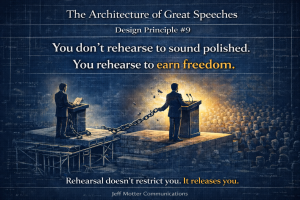
Final Thoughts: Preparation Is What Creates Freedom
The best speakers rarely look like they’re trying hard. That’s not because they’re winging it. It’s because they prepared deeply enough that the presentation feels natural.
Preparation is what separates a good presentation from one that actually changes how people think, feel, or act. It helps you find the point, shape the structure, choose the right examples, design better slides, and deliver with presence instead of panic.
So before your next presentation, don’t start by asking, “What slides do I need?”
Start by asking, “What does this audience need from me?”
That question will make every choice clearer.
And if you’re preparing for a TEDx talk, keynote, investor pitch, leadership presentation, or an important business presentation and want expert guidance, I work with speakers one-on-one to help shape the message, structure the story, and deliver it with confidence.